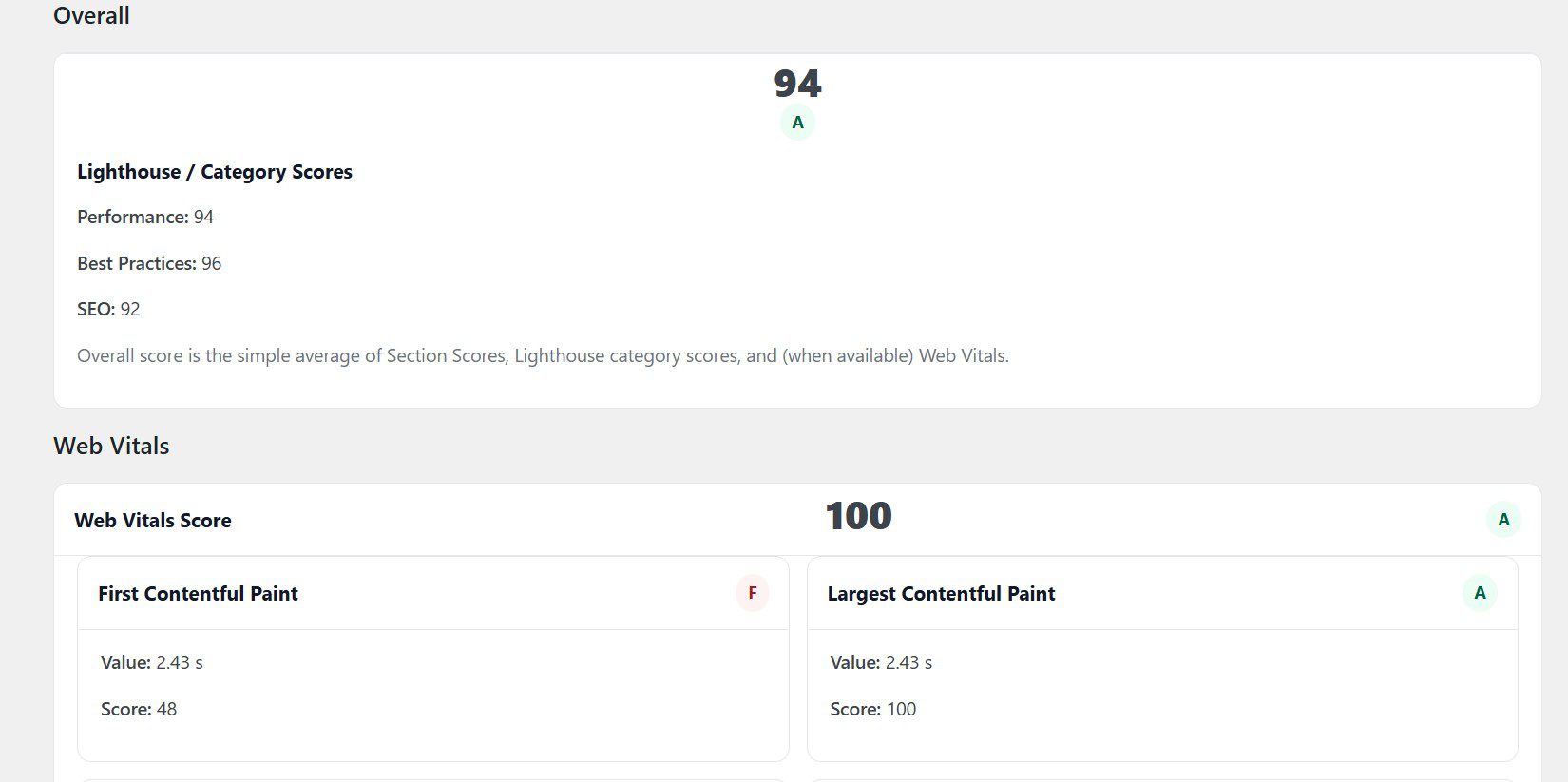
Get a real WordPress speed snapshot from inside your site — without hiring anyone first.
The Nfinite WordPress Audit Plugin generates a fast, lightweight scorecard that highlights Core Web Vitals signals, PageSpeed data, caching signals, and common bottlenecks.
Use this as step one before spending money on fixes, hosting, or a rebuild. You’ll know what to investigate next — and whether a deeper, human-led diagnostic is worth it.
Run your free WordPress performance snapshot
Submit your site and generate a fast, tool-driven baseline of speed, Core Web Vitals, and common performance blockers. No credit card. No sales call.
If the snapshot flags deeper issues, you’ll have the option to request a paid diagnostic review where we interpret the results and map out the best next steps.
- Performance score + Core Web Vitals snapshot
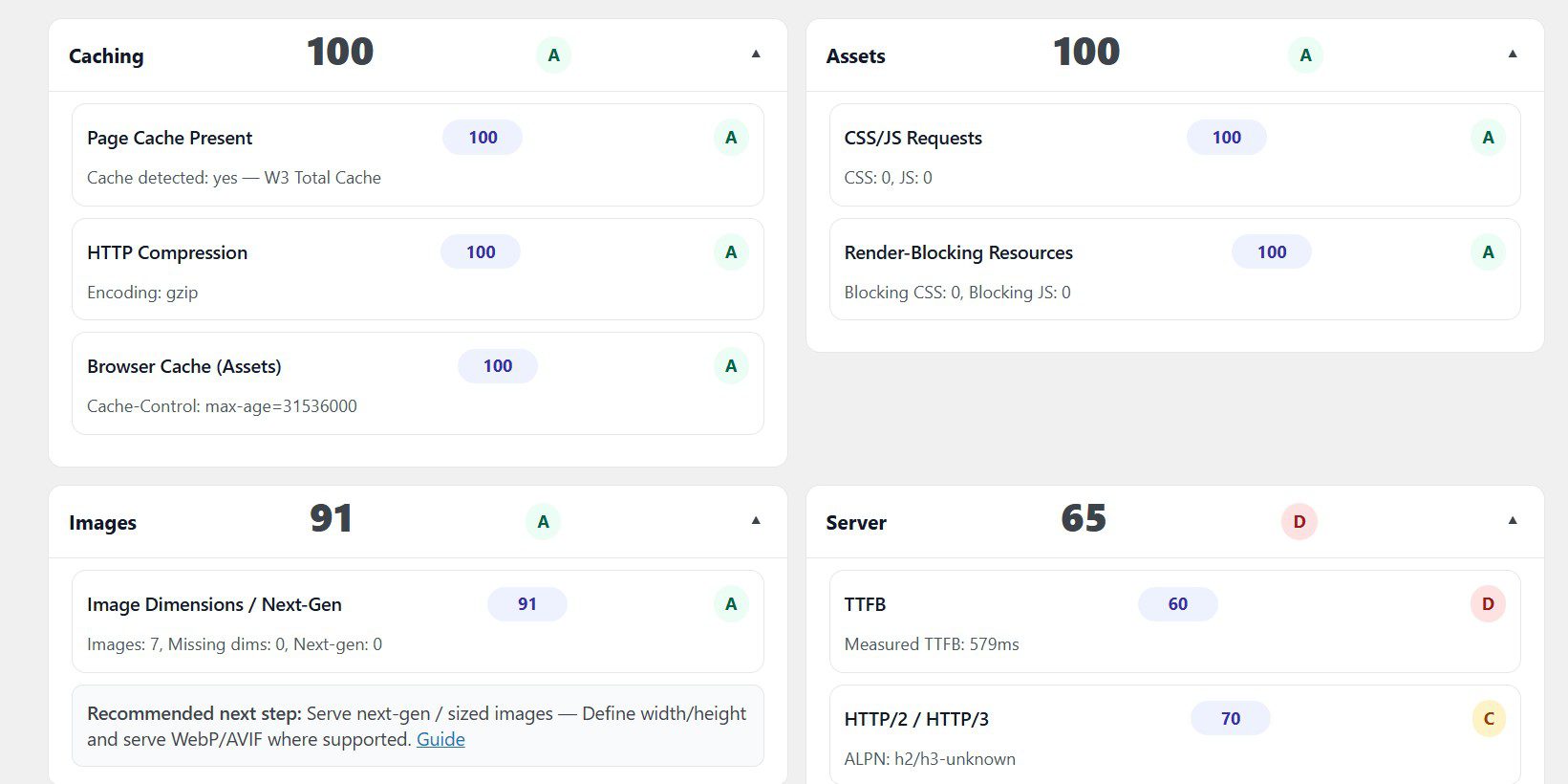
- Caching + render-blocking asset signals
- Hosting / stack indicators (TTFB, environment signals)
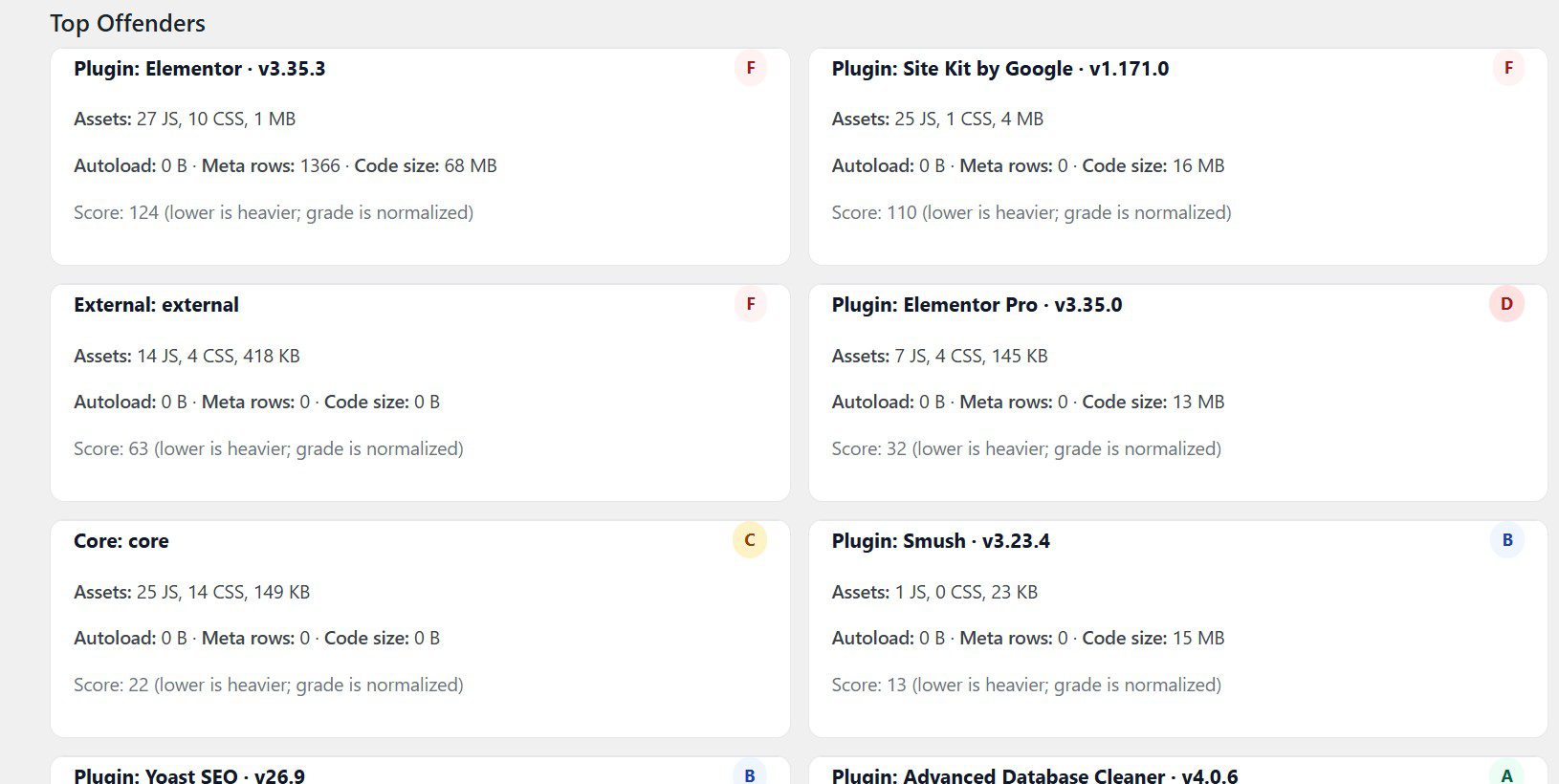
- Plugin + theme inventory (risk and bloat signals)
What the dashboard shows you
Clear, decision-focused reporting without noise. Designed for site owners, developers, and agencies.


Signals that actually matter for speed + stability.
This is not a “100 warnings” scanner. It’s a focused snapshot designed to surface the most common bottlenecks that make WordPress feel slow, fragile, or expensive to maintain.
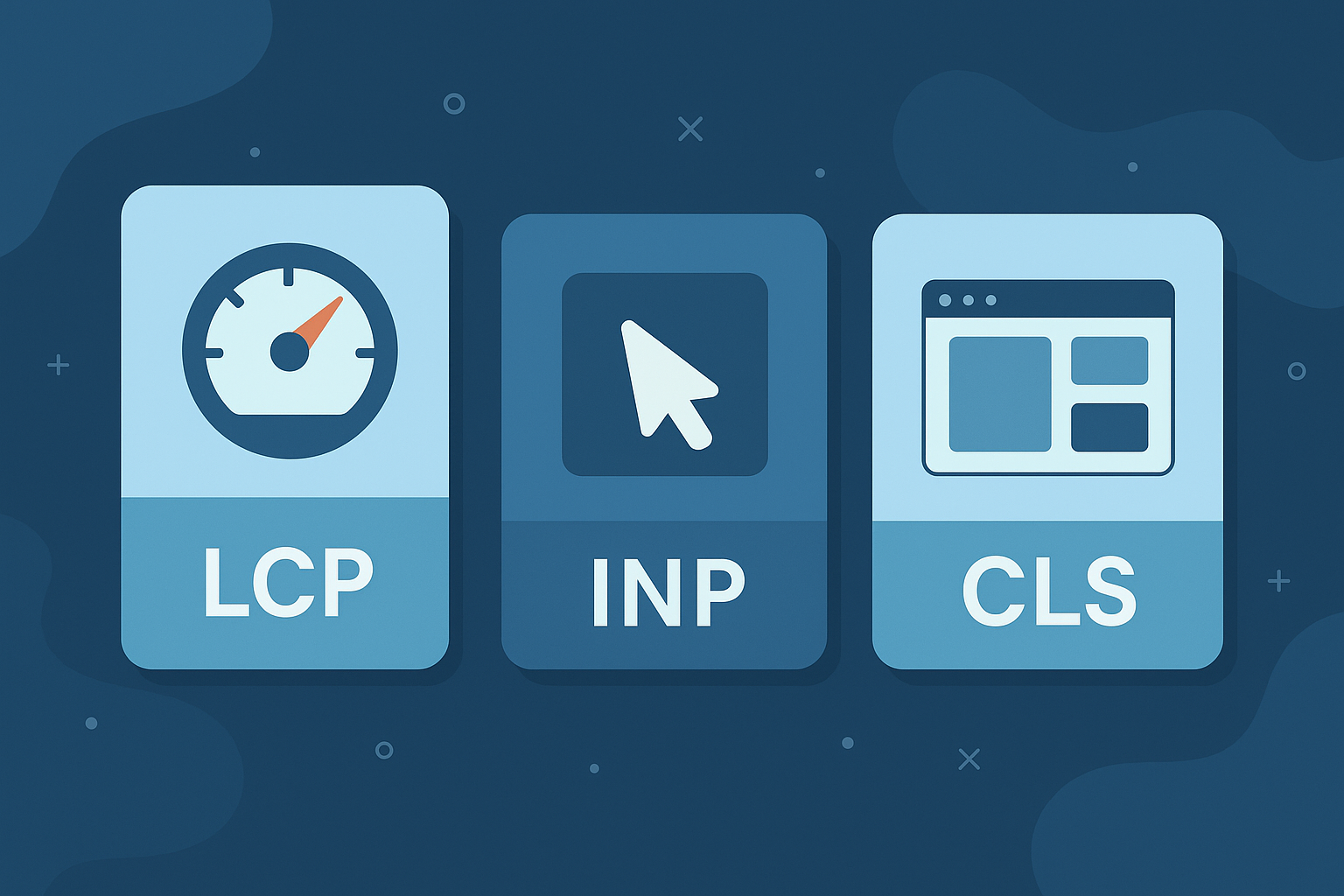
Core Web Vitals signals
Highlights LCP / CLS risk patterns and common causes like render delay, heavy layouts, and slow hero rendering.
- Largest element + likely cause
- Render delay vs load time hints
- Layout shift risk indicators
PageSpeed snapshot
Pulls PageSpeed-style performance signals and organizes them into a readable scorecard.
- Mobile-first emphasis
- Key metric rollups
- Actionable “what next” cues
Caching & delivery
Detects whether basic performance foundations are in place (and flags common misconfigurations).
- Page cache signals
- Object cache readiness hints
- Asset / bloat red flags
Install → run → get your snapshot.
Quick, transparent, and no credentials required. This is a data point — not a sales call.
Install the plugin
Upload the Nfinite Audit Plugin, activate it, and open the audit screen in your WordPress dashboard.
Run the snapshot
Click run. The plugin generates a lightweight report and flags the most common bottlenecks.
Use the scorecard
Decide if you can DIY improvements, or if you need a deeper performance diagnostic and fixes.
Replace the placeholder links below with your real plugin URL(s) when ready. If you want a “Download” button that works immediately, link to your WP.org page or a direct zip.
Common questions
Keep it simple. This plugin is step one — your “should I care?” filter.
Is this plugin free?
Yes. It’s designed to give you an objective baseline without a sales call or upfront commitment.
Do you need admin access or credentials?
No. The snapshot runs inside your WordPress dashboard. You control what’s installed and what’s run.
Will it slow my site down?
The snapshot is lightweight and intended to be run on demand. You can run it, review the scorecard, and you’re done.
What if the score is low?
That’s the point. The report helps you prioritize. Some fixes are DIY; others need deeper performance work or hosting changes.
Understand what Google is actually measuring
Before fixing speed, you need context. These signals influence rankings, user experience, and conversion performance.